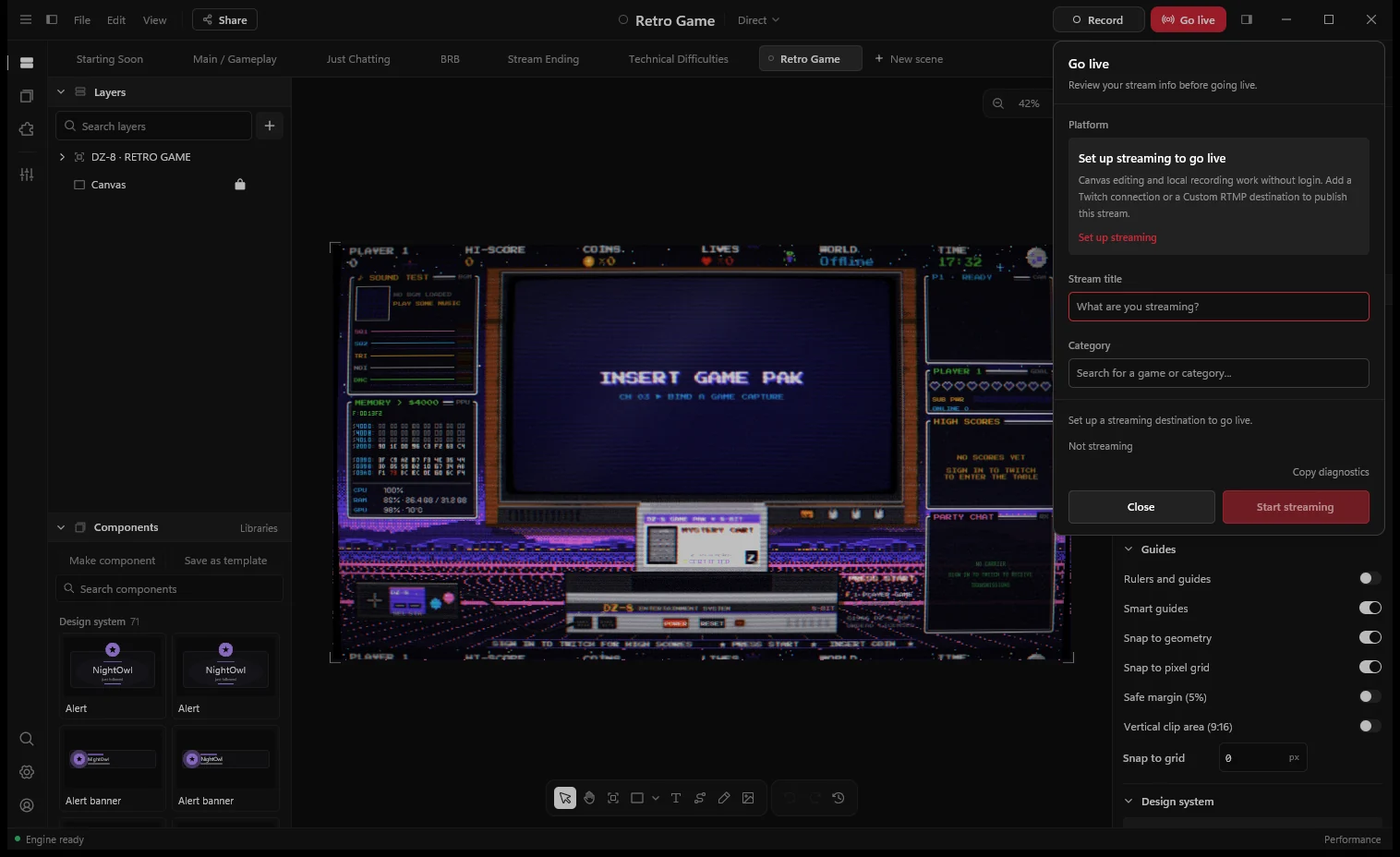
Rehearse in Preview. Go live checked.
One Go Live sheet manages stream titles, categories, custom RTMP targets, and preflight checks across every destination — with Studio Mode T-bar transitions right beside it.
Private alpha Windows 10 and 11
CRNTLY is a design-first live streaming studio: a real design tool with a Go Live button attached.
Design it like a poster. Run it like a broadcast. Change it while you’re live.
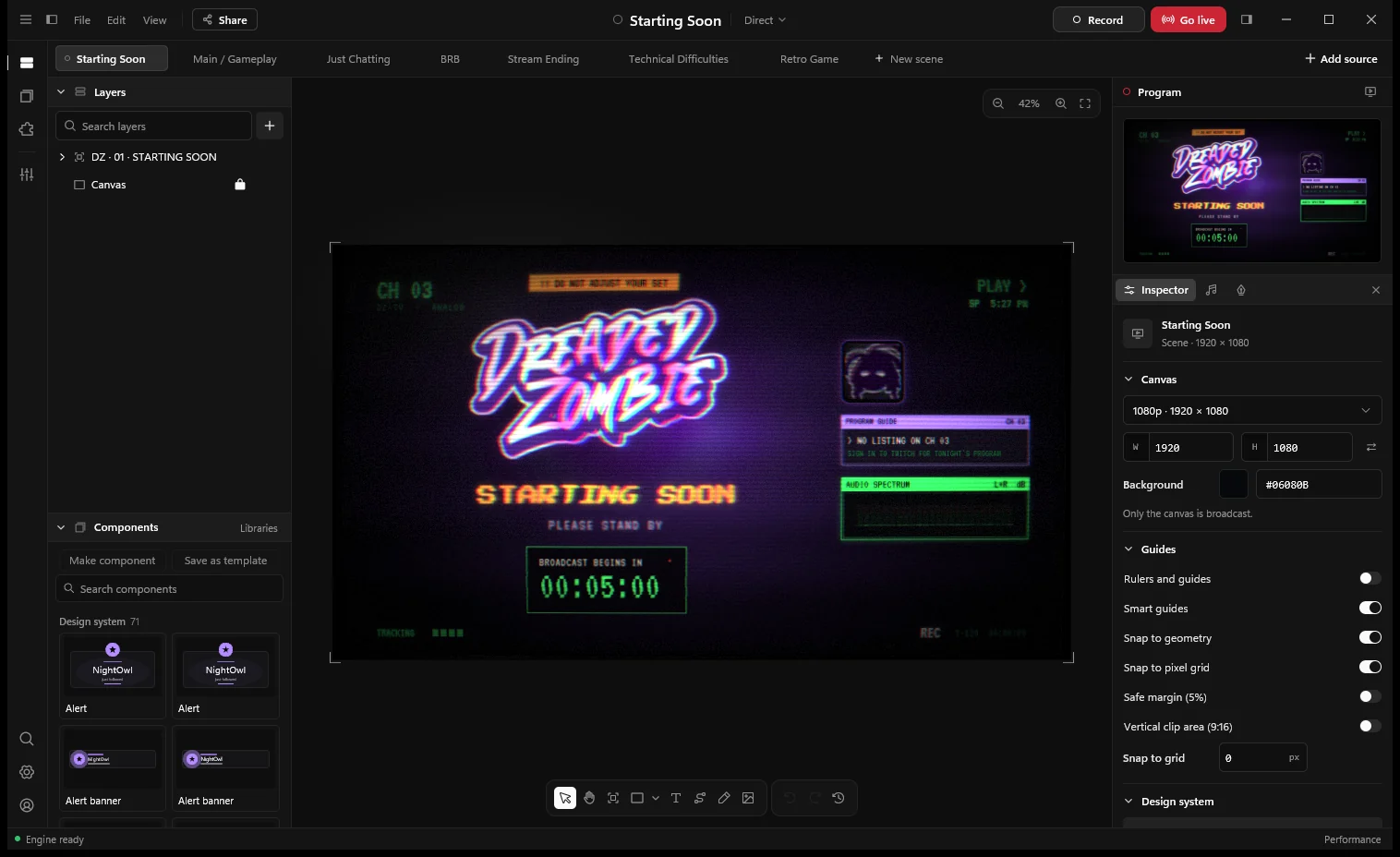
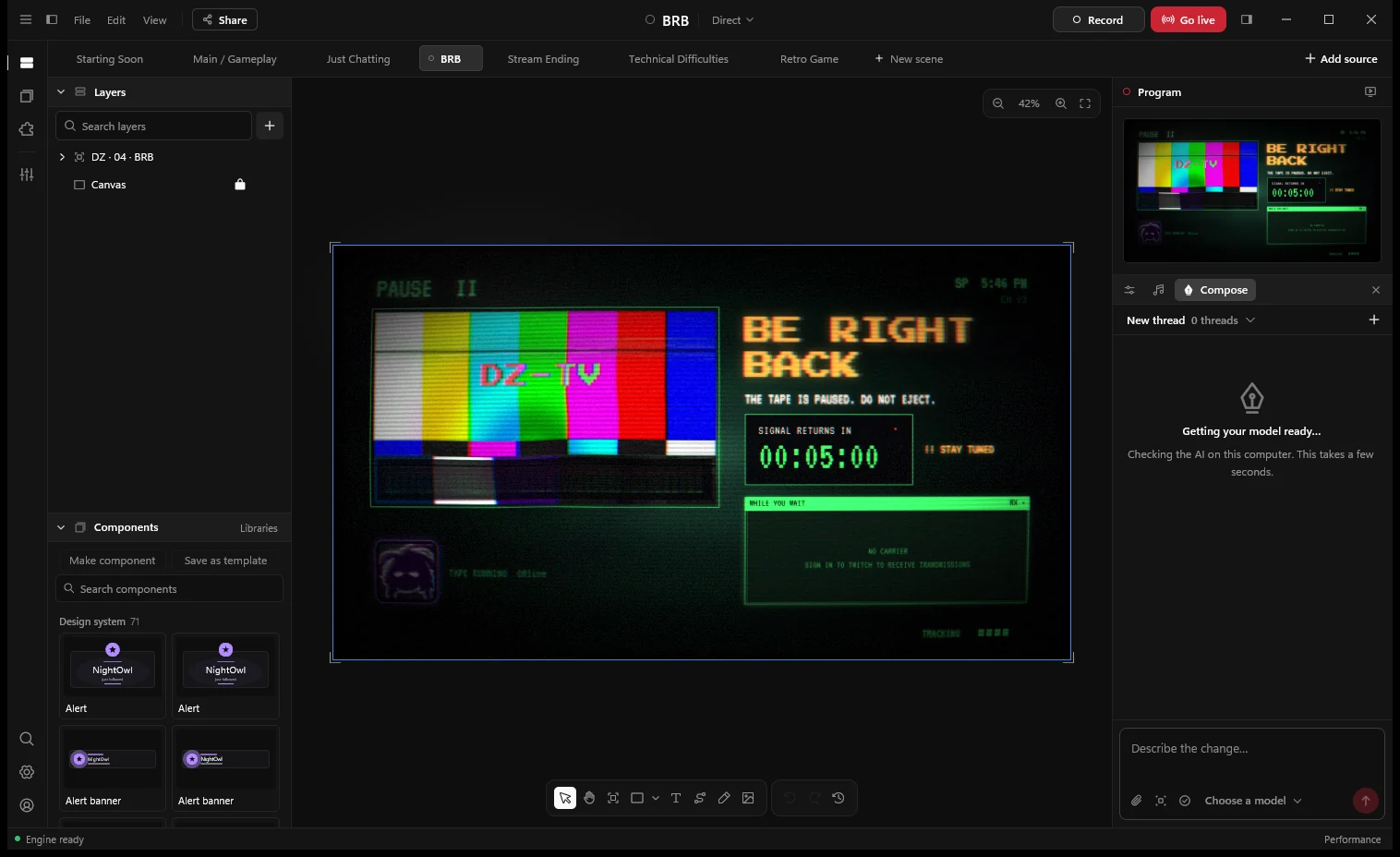
Stop exporting static PNGs and juggling fragile browser sources. Every scene in CRNTLY is a live, GPU-accelerated design canvas — editable text, vector shapes, design tokens, shaders, and live widgets rendered directly onto the broadcast.
Author a lower third, camera bezel, or alert banner once as a component. Update the master and every scene updates in lockstep.
Bind surfaces, accents, and typography to shared design tokens. Re-theme an entire show collection in a single edit.
Jump scenes, toggle layers, trigger transitions, or open any tool from the keyboard — both in prep and mid-broadcast.
Paste a Figma URL, drop a .fig file, or copy layers
straight from Figma. Everything lands editable in one undo step.
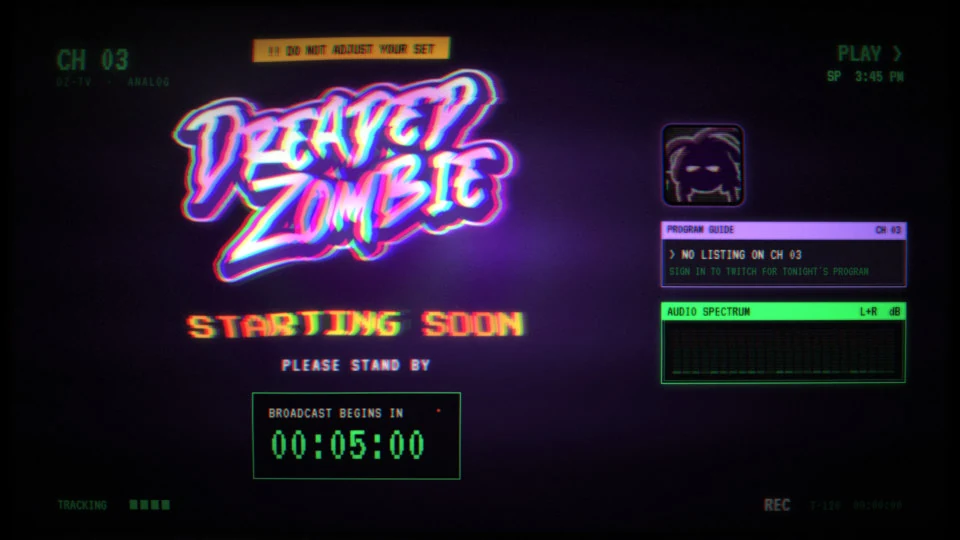
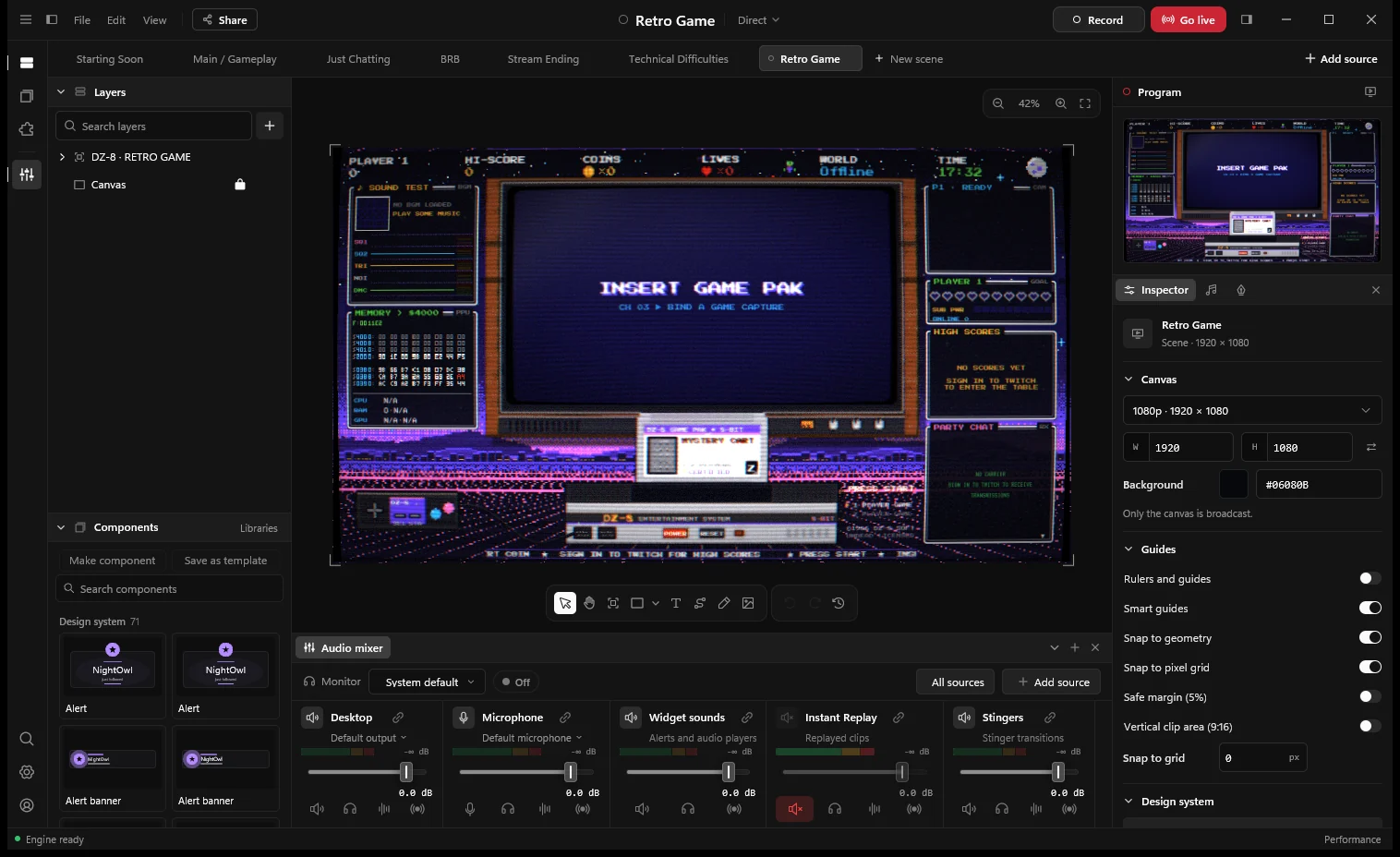
Every frame below is rendered straight from CRNTLY’s native engine using the DreadedZombie collection: CRT scanline shaders, live timers, spectrum bars, hex telemetry, and alert feeds authored directly on the canvas.
Choreograph layer entrances and exits with Motion Lab, cut with GPU shader transitions, or ship your own full-alpha stinger using the built-in Stinger Creator.
Encode once on your GPU and fan out directly from your PC — no cloud restream relay, no monthly tax, and a dedicated 9:16 vertical output running beside your 16:9 show.
One Go Live sheet manages stream titles, categories, custom RTMP targets, and preflight checks across every destination — with Studio Mode T-bar transitions right beside it.
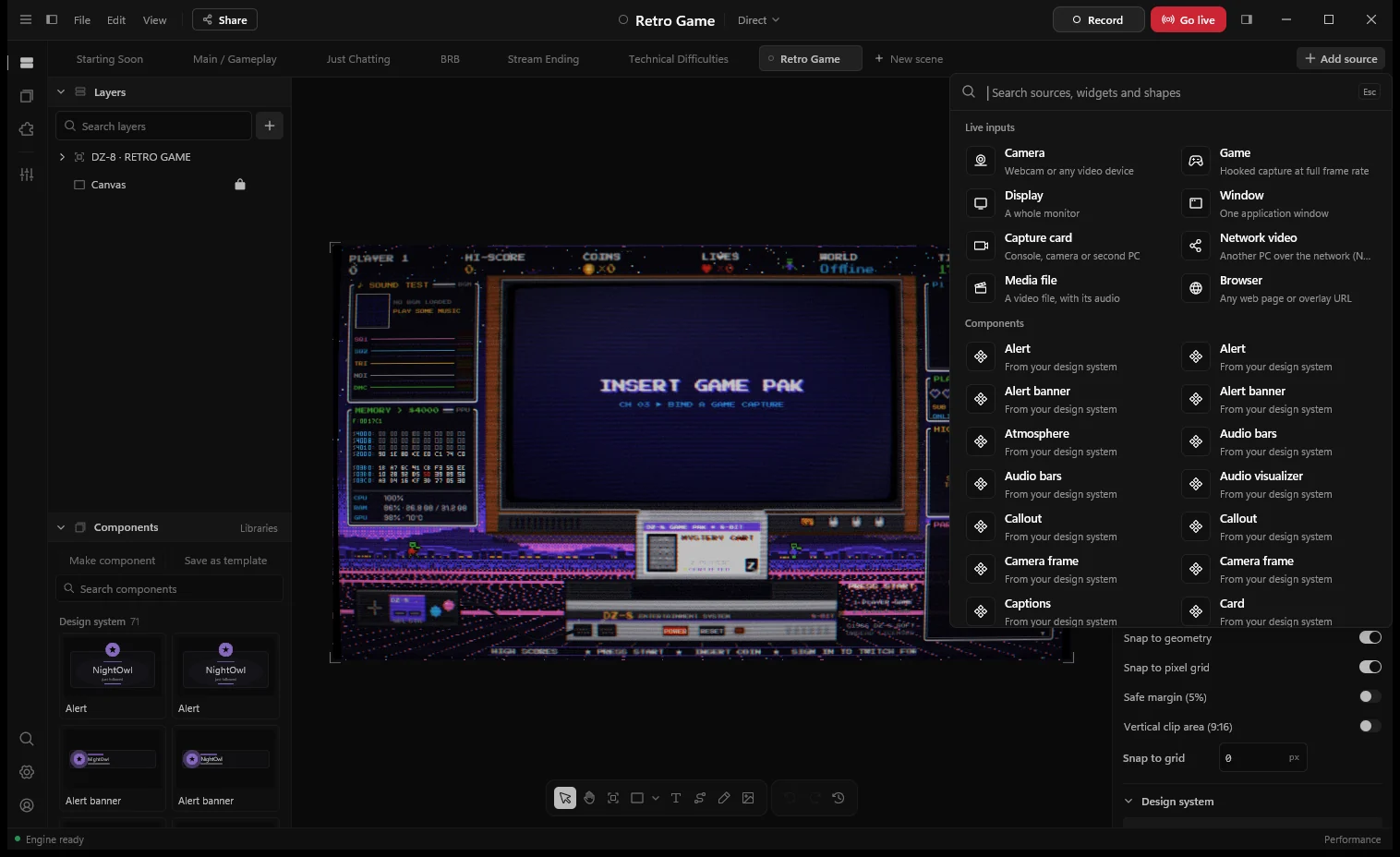
Hook Direct3D 12 games at full frame rate, pull capture cards, NDI/OMT feeds, browser overlays, or drop in reusable alerts and visualizers from your design system.
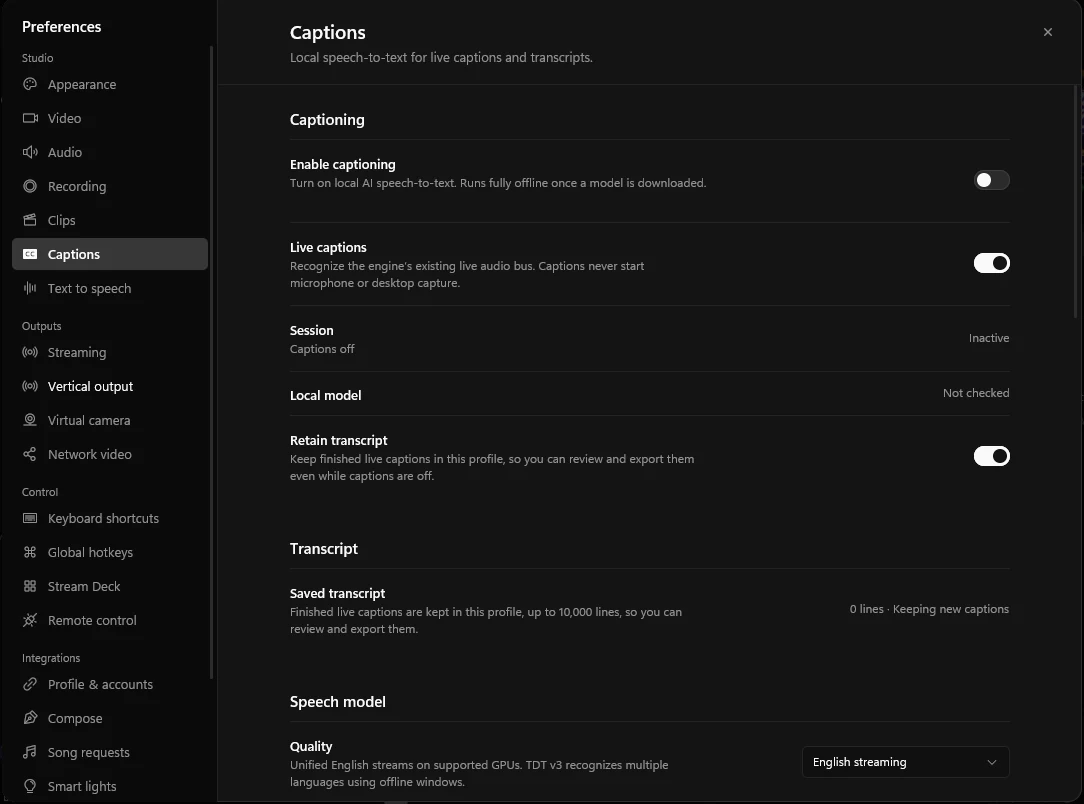
Runs offline on your GPU directly off the engine’s live audio bus — zero cloud latency, zero API bill, and saves up to 10,000 lines of searchable transcript locally.
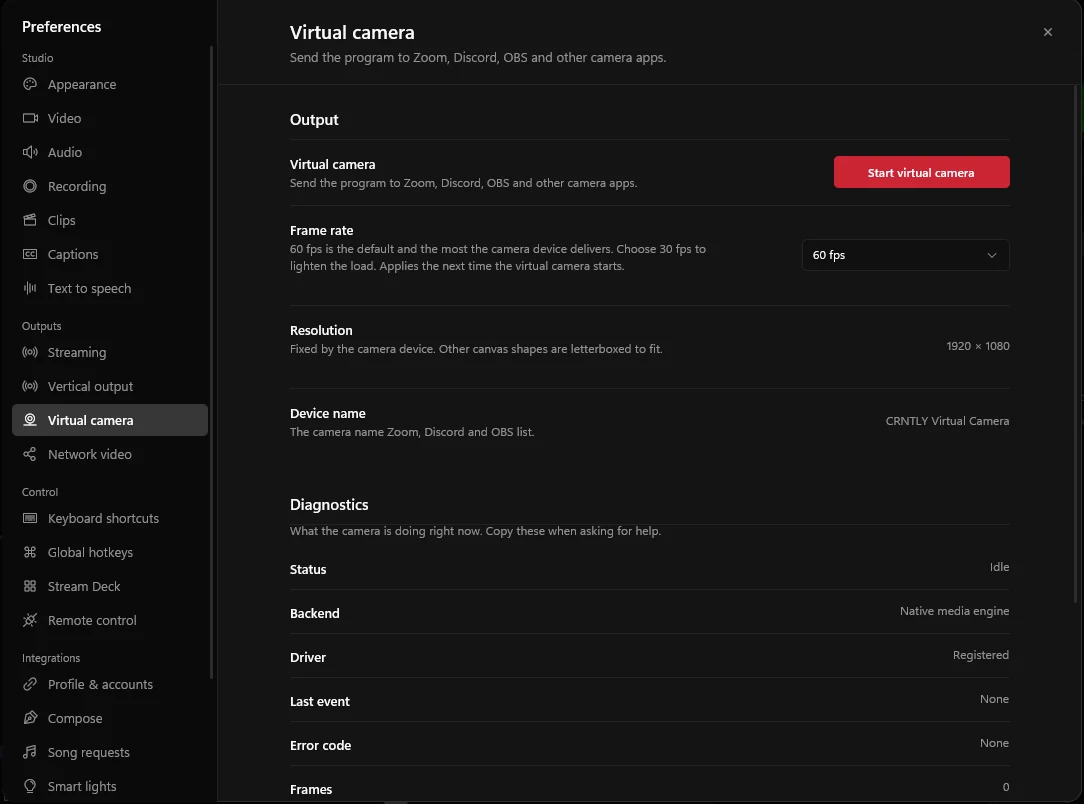
Feed your composited 1080p60 Program canvas straight into any video call or recording app through CRNTLY’s native virtual camera driver — zero extra plugins.
Stream and record a dedicated vertical canvas for TikTok Live or YouTube Shorts alongside your main landscape broadcast, with its own bitrate and frame rate.
Keep a continuous replay buffer rolling. Hit F8 to save the moment, then trim, caption, and export in 16:9, 9:16, or 1:1 looks without leaving the app.
No third-party browser URLs to babysit. Chat, alerts with local TTS, and Spotify album-art colour sync are ordinary layers you style like anything else.
Ask Compose to build a Starting Soon layout, restyle your colour tokens, or place a custom backdrop. It edits the exact same scene graph you do, and every move is one CtrlZ away.
No Electron. No browser compositor. Capture, mixing, GPU compositing, encoding, and streaming execute in a separate Rust process on Direct3D 12 and NVENC — if the UI window ever goes down, your stream and recording never drop a frame.
Rust Media Engine
Direct3D 12 compositing, Media Foundation, and hardware NVENC. Program renders once at locked frame pacing and feeds every output simultaneously.
Both the GPUI desktop interface and the media engine compile to native machine code, keeping frame times flat while you game.
Written as crash-safe MKV and remuxed automatically to MP4, with pause, chapter markers, and up to six isolated audio tracks.
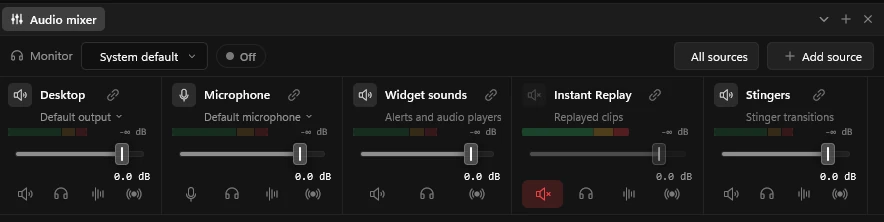
Strip keyboard clicks and PC fans ahead of the noise gate, 3-band EQ, compressor, and brick-wall limiter on every mic.
Draw on the sky, drag guides off the rulers, drop in a widget and take it to Program. Open a second tab and edit together.
You don’t have to throw away years of stream decks, automations, or scene collections to upgrade your studio.
Bring in your scenes, sources, and stingers in one step. An item-by-item import report shows everything imported, approximated, or skipped.
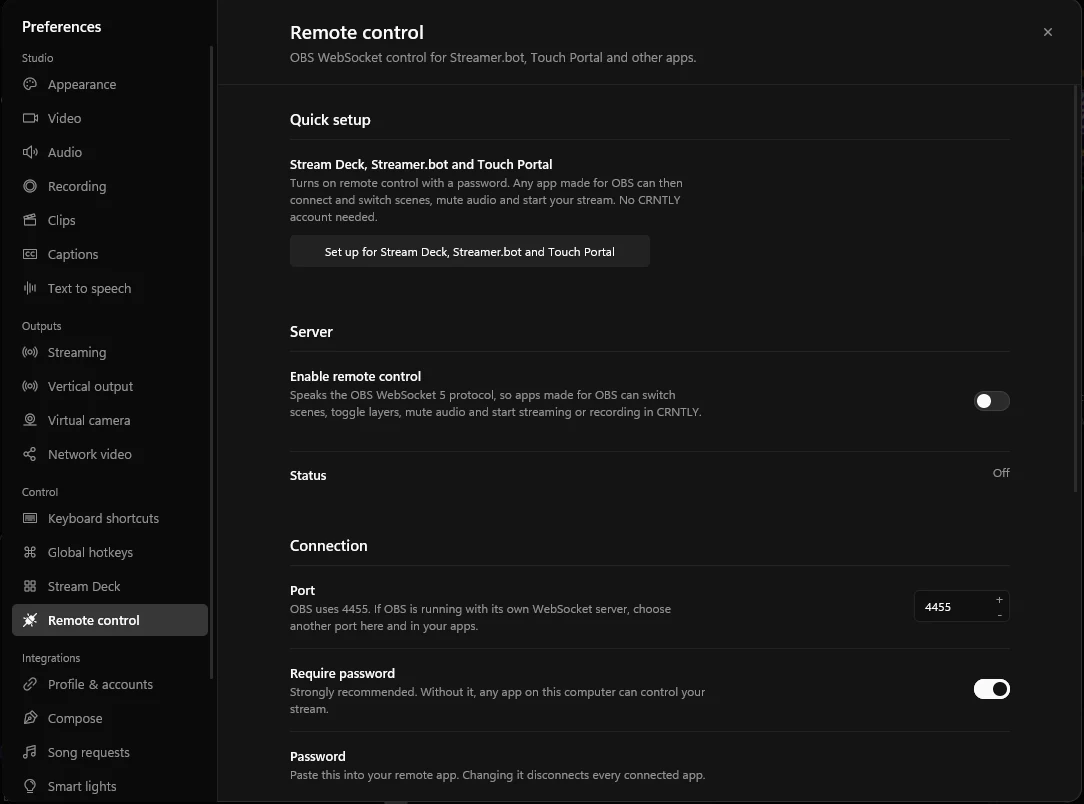
CRNTLY speaks the OBS WebSocket 5 protocol natively, so your existing decks, scripts, and macros connect without rewriting a single action.
Multistream, vertical output, NDI/OMT, local captions, multichat, alerts, and shader transitions ship built in and version-locked with the engine.
Everything a modern setup usually stitches together from plugins, cloud dashboards, and browser tabs runs natively inside CRNTLY.
The private alpha ships for Windows 10 and 11 (64-bit) with the full native Rust engine. A native Linux build is in active development; there is no macOS build yet.
No. Both the desktop interface (GPUI) and the isolated broadcast media engine are native Rust, using Direct3D 12 and hardware encoders on Windows.
No. Compose runs on our open-source OriginLM runtime and uses the AI subscriptions (Claude Code, Codex, Gemini CLI) or local GPU servers (Ollama, LM Studio) already on your machine.
CRNTLY is in private alpha with no public download or public pricing announced yet. Alpha testers receive the Windows installer through Discord.
CRNTLY is in private alpha. Join the Discord to get the 64-bit Windows installer, share scenes, and talk directly with the team building the engine.